
Phishing: Brand Abuse, Kits, and PhaaS Actors
The Phishing section covers credential theft infrastructure end to end: the brands being impersonated, the kits doing the impersonating, the actors selling those kits, and the parked domains waiting to be weaponized. It is built for teams defending a brand and for responders tracking a phishing campaign back to its toolkit.
Phishing connects out to the rest of the platform: the hosting behind a campaign sits in Provider Radar, the groups running it overlap with Threat Actors, the reporting lands in IOC Hunter, and you can pull the whole stream from Feeds. Look up a suspect domain any time in Search.
Open Phishing from the Hunting group in the sidebar. It has these sub-sections: Overview, Threat Actors, Brands, Kits, Kit families, and Parked.
Overview
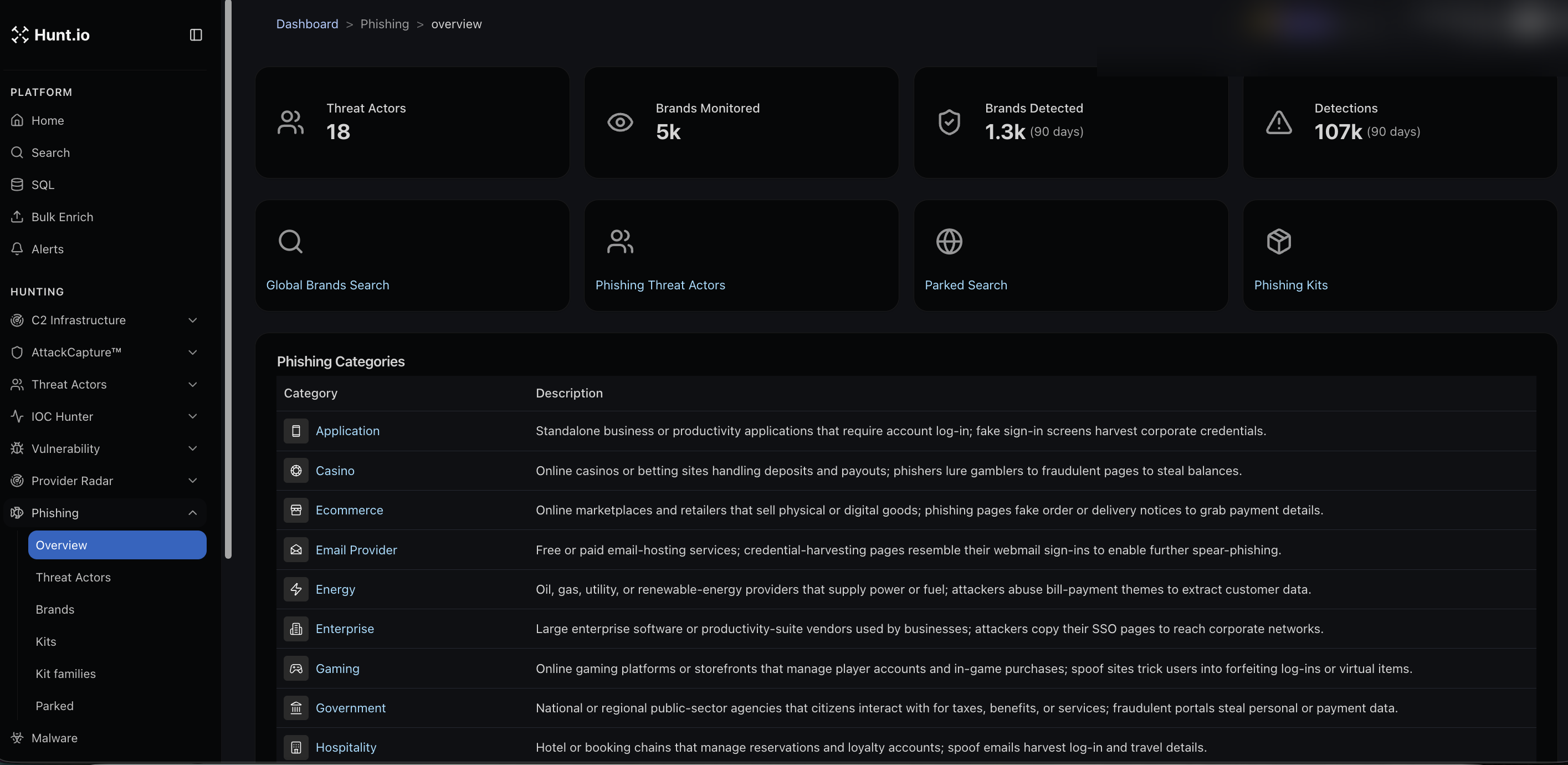
The Overview sets the scale. It shows how many phishing threat actors are tracked, how many brands are monitored, how many brands have been detected in a recent window, and the total detections. Shortcuts take you to Global Brands Search, Phishing Threat Actors, Parked Search, and Phishing Kits. A categories table explains how phishing is grouped, for example Application, Casino, Ecommerce, Email Provider, Enterprise, Government, and Hospitality, with what each category targets.
Brands
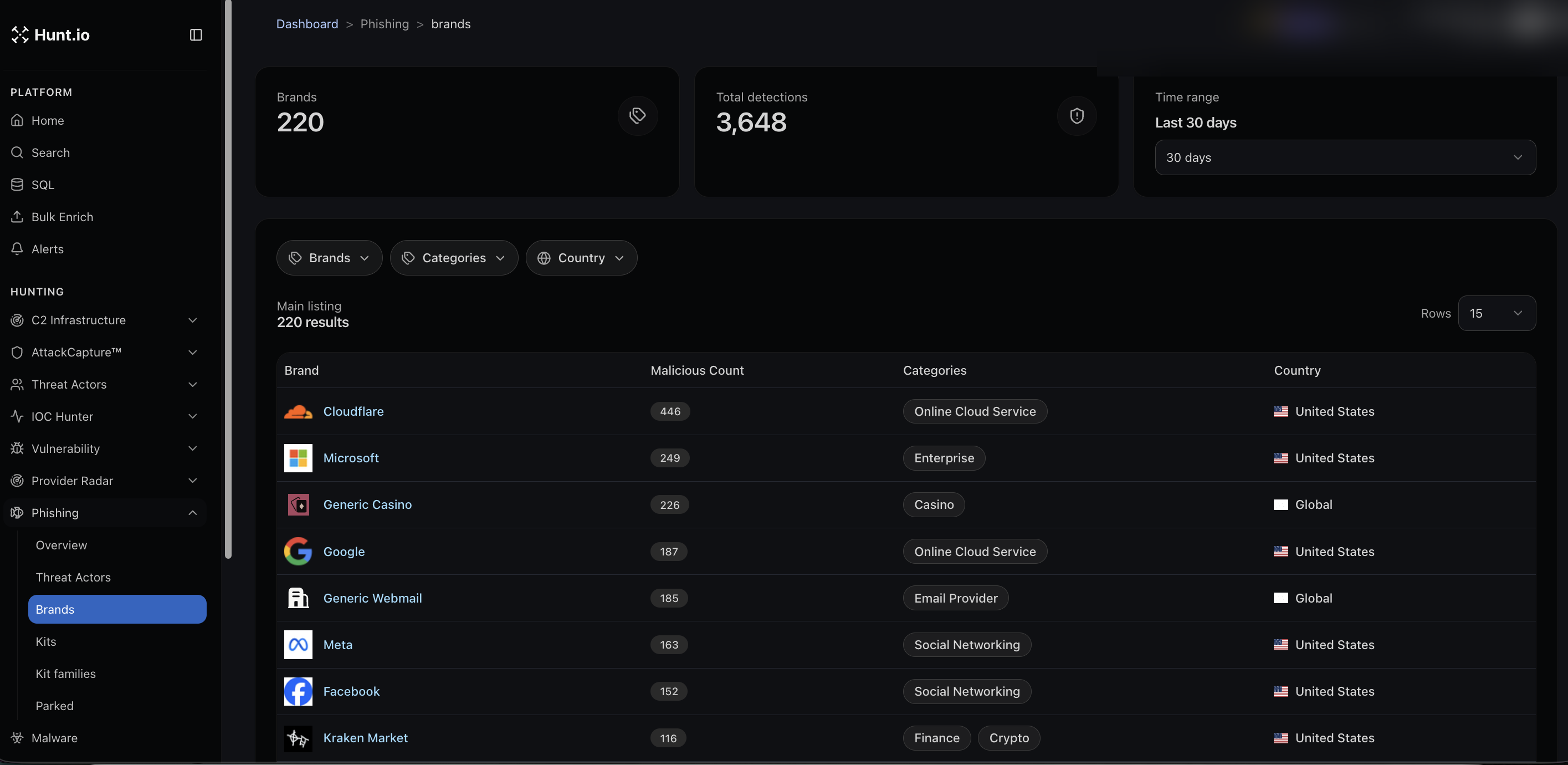
Brands is the monitoring view. It shows the number of brands tracked and total detections over a window, then lists each brand with its malicious count, category, and country. Filter by brand, category, or country. This is where you check whether your own brand, or a partner you rely on, is being spoofed, and how heavily.
Kits
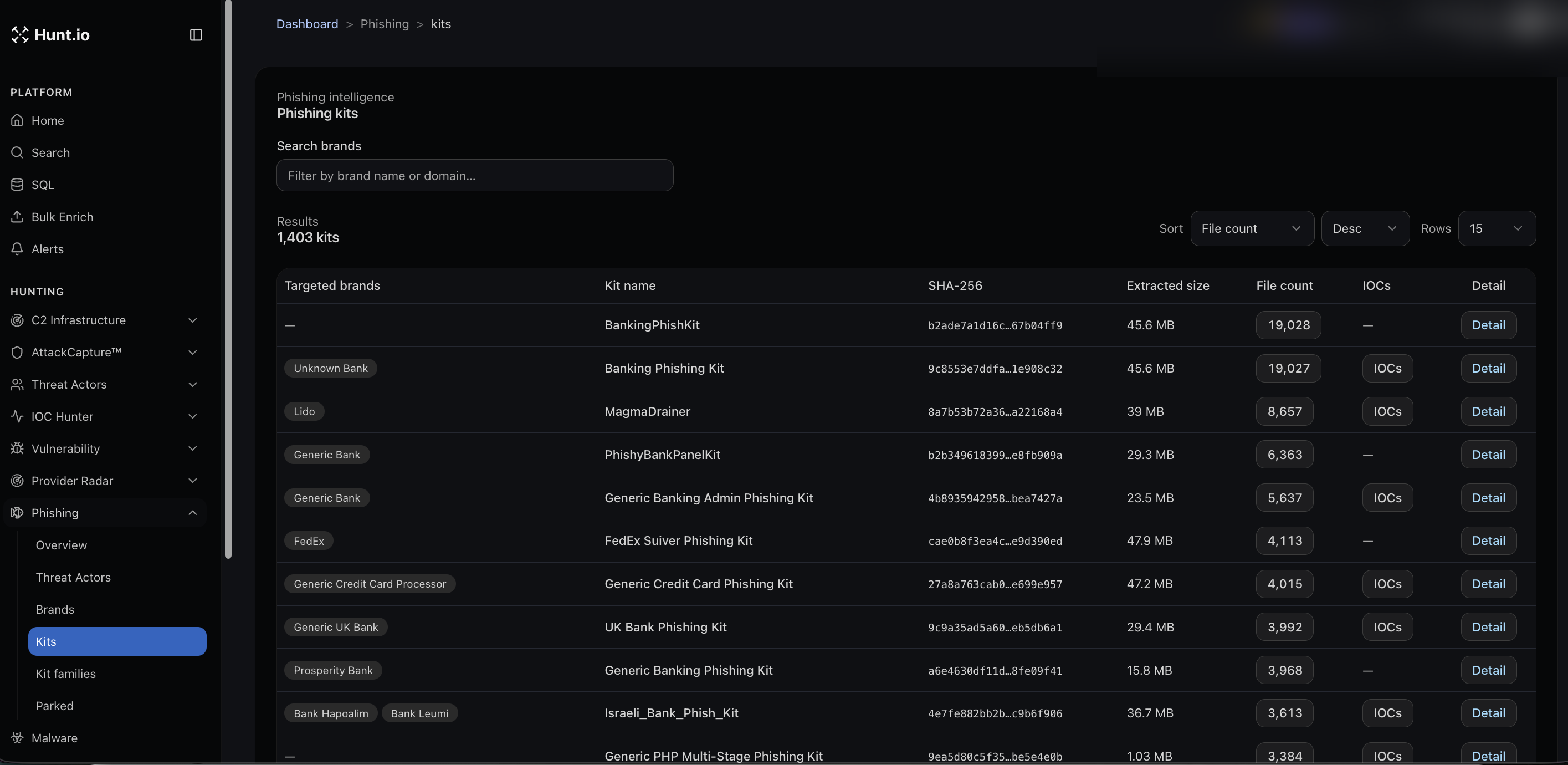
Kits is the phishing kit library. Each row shows the targeted brands, the kit name, its SHA-256, the extracted size, the file count, whether IOCs were pulled from it, and a link to the detail. Sort by file count or other fields. Studying the kit tells you how a campaign works and gives you indicators to hunt with.
Kit families
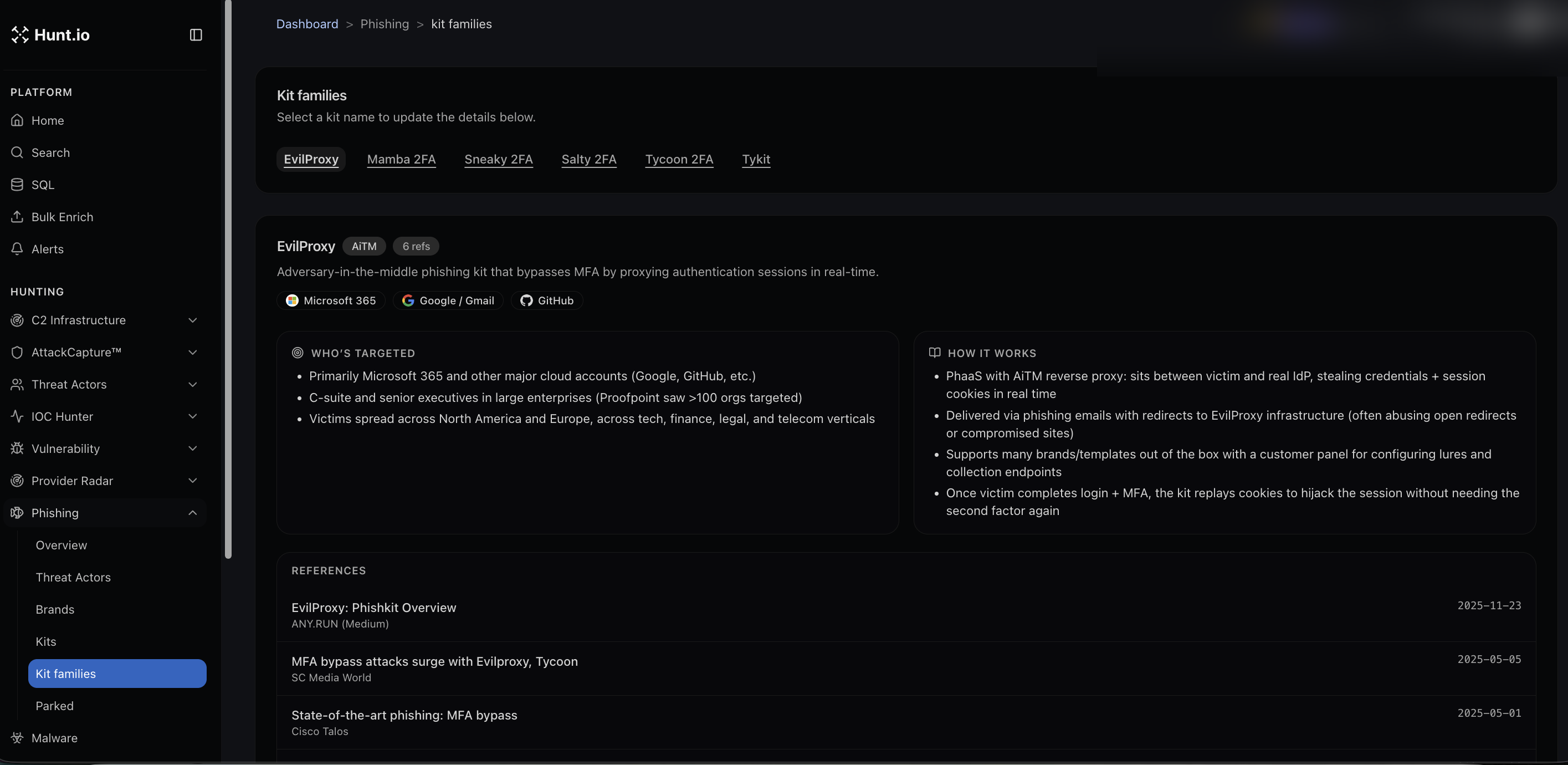
Kit families groups related kits and explains them. Pick a family, for example EvilProxy, Mamba 2FA, Sneaky 2FA, Salty 2FA, Tycoon 2FA, or Tykit, and you get a short description, who it targets, how it works, and references. These are mostly adversary-in-the-middle kits that bypass MFA by proxying the login and replaying session cookies, which is useful background when you are explaining a detection.
Threat Actors
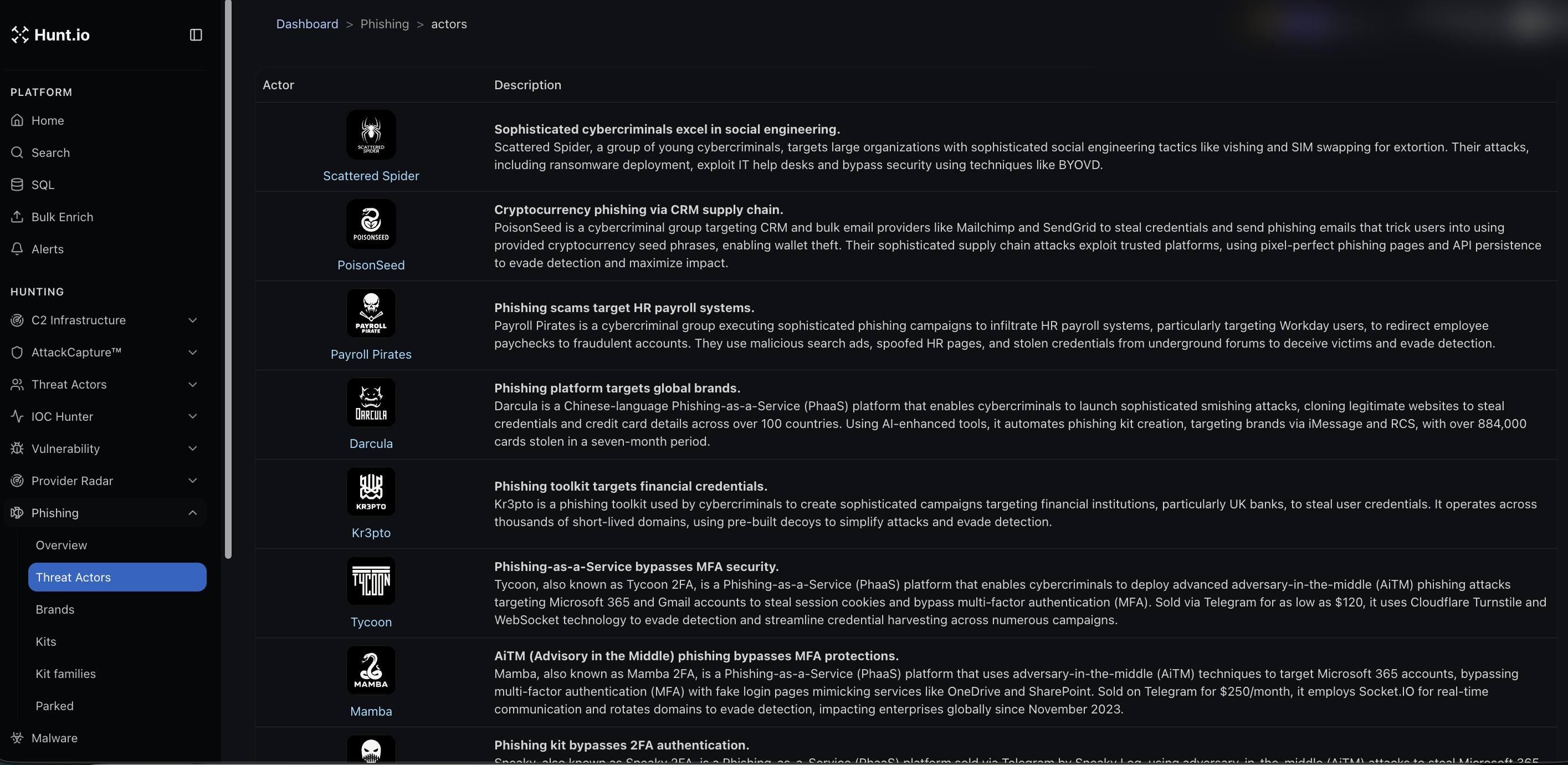
Phishing Threat Actors profiles the groups and services behind the campaigns, such as Scattered Spider, PoisonSeed, Payroll Pirates, Darcula, Kr3pto, Tycoon, and Mamba. Each entry describes the actor's method and targets, which helps you attribute a campaign and anticipate its next move.
Parked
Parked covers parked domains relevant to phishing. A Parked Search is linked from the Overview.
Phishing: Brand Abuse, Kits, and PhaaS Actors
The Phishing section covers credential theft infrastructure end to end: the brands being impersonated, the kits doing the impersonating, the actors selling those kits, and the parked domains waiting to be weaponized. It is built for teams defending a brand and for responders tracking a phishing campaign back to its toolkit.
Phishing connects out to the rest of the platform: the hosting behind a campaign sits in Provider Radar, the groups running it overlap with Threat Actors, the reporting lands in IOC Hunter, and you can pull the whole stream from Feeds. Look up a suspect domain any time in Search.
Open Phishing from the Hunting group in the sidebar. It has these sub-sections: Overview, Threat Actors, Brands, Kits, Kit families, and Parked.
Overview
The Overview sets the scale. It shows how many phishing threat actors are tracked, how many brands are monitored, how many brands have been detected in a recent window, and the total detections. Shortcuts take you to Global Brands Search, Phishing Threat Actors, Parked Search, and Phishing Kits. A categories table explains how phishing is grouped, for example Application, Casino, Ecommerce, Email Provider, Enterprise, Government, and Hospitality, with what each category targets.
Brands
Brands is the monitoring view. It shows the number of brands tracked and total detections over a window, then lists each brand with its malicious count, category, and country. Filter by brand, category, or country. This is where you check whether your own brand, or a partner you rely on, is being spoofed, and how heavily.
Kits
Kits is the phishing kit library. Each row shows the targeted brands, the kit name, its SHA-256, the extracted size, the file count, whether IOCs were pulled from it, and a link to the detail. Sort by file count or other fields. Studying the kit tells you how a campaign works and gives you indicators to hunt with.
Kit families
Kit families groups related kits and explains them. Pick a family, for example EvilProxy, Mamba 2FA, Sneaky 2FA, Salty 2FA, Tycoon 2FA, or Tykit, and you get a short description, who it targets, how it works, and references. These are mostly adversary-in-the-middle kits that bypass MFA by proxying the login and replaying session cookies, which is useful background when you are explaining a detection.
Threat Actors
Phishing Threat Actors profiles the groups and services behind the campaigns, such as Scattered Spider, PoisonSeed, Payroll Pirates, Darcula, Kr3pto, Tycoon, and Mamba. Each entry describes the actor's method and targets, which helps you attribute a campaign and anticipate its next move.
Parked
Parked covers parked domains relevant to phishing. A Parked Search is linked from the Overview.
Phishing: Brand Abuse, Kits, and PhaaS Actors
The Phishing section covers credential theft infrastructure end to end: the brands being impersonated, the kits doing the impersonating, the actors selling those kits, and the parked domains waiting to be weaponized. It is built for teams defending a brand and for responders tracking a phishing campaign back to its toolkit.
Phishing connects out to the rest of the platform: the hosting behind a campaign sits in Provider Radar, the groups running it overlap with Threat Actors, the reporting lands in IOC Hunter, and you can pull the whole stream from Feeds. Look up a suspect domain any time in Search.
Open Phishing from the Hunting group in the sidebar. It has these sub-sections: Overview, Threat Actors, Brands, Kits, Kit families, and Parked.
Overview
The Overview sets the scale. It shows how many phishing threat actors are tracked, how many brands are monitored, how many brands have been detected in a recent window, and the total detections. Shortcuts take you to Global Brands Search, Phishing Threat Actors, Parked Search, and Phishing Kits. A categories table explains how phishing is grouped, for example Application, Casino, Ecommerce, Email Provider, Enterprise, Government, and Hospitality, with what each category targets.
Brands
Brands is the monitoring view. It shows the number of brands tracked and total detections over a window, then lists each brand with its malicious count, category, and country. Filter by brand, category, or country. This is where you check whether your own brand, or a partner you rely on, is being spoofed, and how heavily.
Kits
Kits is the phishing kit library. Each row shows the targeted brands, the kit name, its SHA-256, the extracted size, the file count, whether IOCs were pulled from it, and a link to the detail. Sort by file count or other fields. Studying the kit tells you how a campaign works and gives you indicators to hunt with.
Kit families
Kit families groups related kits and explains them. Pick a family, for example EvilProxy, Mamba 2FA, Sneaky 2FA, Salty 2FA, Tycoon 2FA, or Tykit, and you get a short description, who it targets, how it works, and references. These are mostly adversary-in-the-middle kits that bypass MFA by proxying the login and replaying session cookies, which is useful background when you are explaining a detection.
Threat Actors
Phishing Threat Actors profiles the groups and services behind the campaigns, such as Scattered Spider, PoisonSeed, Payroll Pirates, Darcula, Kr3pto, Tycoon, and Mamba. Each entry describes the actor's method and targets, which helps you attribute a campaign and anticipate its next move.
Parked
Parked covers parked domains relevant to phishing. A Parked Search is linked from the Overview.
Frequently asked questions
Frequently asked questions
Can I pull phishing data as a feed?
How do I check if my brand is being phished?
What does AiTM mean?
What is a phishing kit family?
Related
Related
Hunt adversary infrastructure in real time. Surface C2 servers, enrich IOCs,
and map attacker activity at scale with our unified threat hunting platform.

Hunt adversary infrastructure in real time. Surface C2 servers, enrich IOCs,
and map attacker activity at scale with our unified threat hunting platform.
Hunt adversary infrastructure in real time. Surface C2 servers, enrich IOCs,
and map attacker activity at scale with our unified threat hunting platform.