
Search: IP, Domain, ASN, and Certificate Lookups
Search is the fastest way into an investigation. You paste one indicator and Hunt.io routes you to the right view with the context already loaded. It accepts an IP or IPv6 address, a CIDR range, a domain, an ASN, a CVE, or a certificate key ID or fingerprint, including AKI, SKI, JARM, JA4X, and SHA-256.
If a single lookup is not specific enough, write a precise query in HuntSQL, or run many indicators at once with Bulk Enrich. When you want to be told the moment a host changes, save the lookup as a monitor in Alerts. New here? Start with Getting Started.
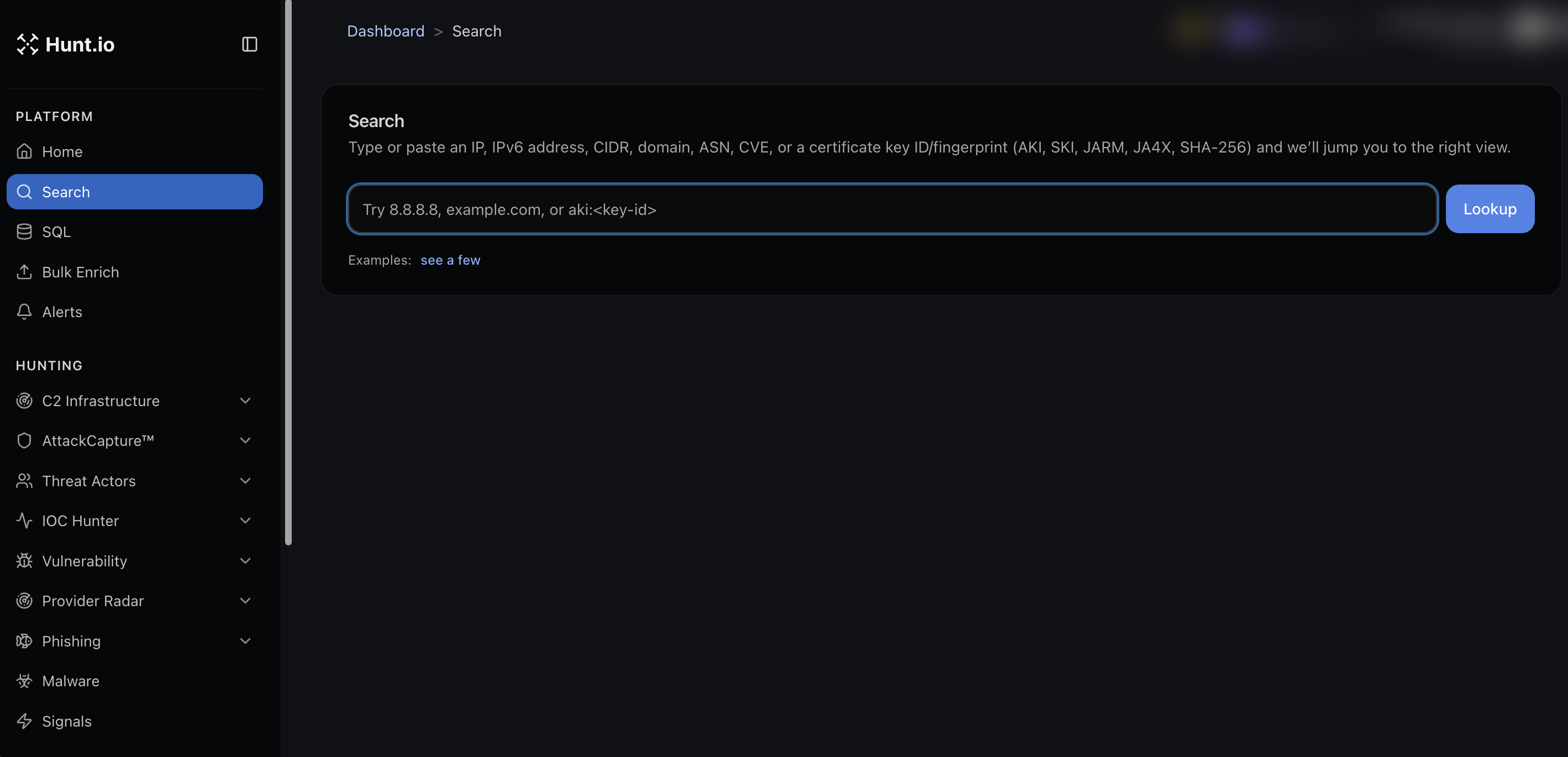
Run a lookup
Open Search from the Platform group in the sidebar, or use the search bar at the top of any page. Type or paste your indicator and run it. The examples link next to the bar shows valid formats if you are not sure what to enter.
You do not need to tell Hunt.io what kind of indicator it is. It detects the type and sends you to the matching view.
Reading an IP result
An IP result opens on the Info tab with three panels:
Network: the hosting organization, ASN, AS name, and IP range. For the provider's wider abuse history, open it in Provider Radar.
Location: city, region, and country, with a map.
Reputation and Risk: the risk level, any active malware seen on the host (which links into Malware), and warnings such as recent malicious open directories from AttackCapture, each dated and linked to its source.
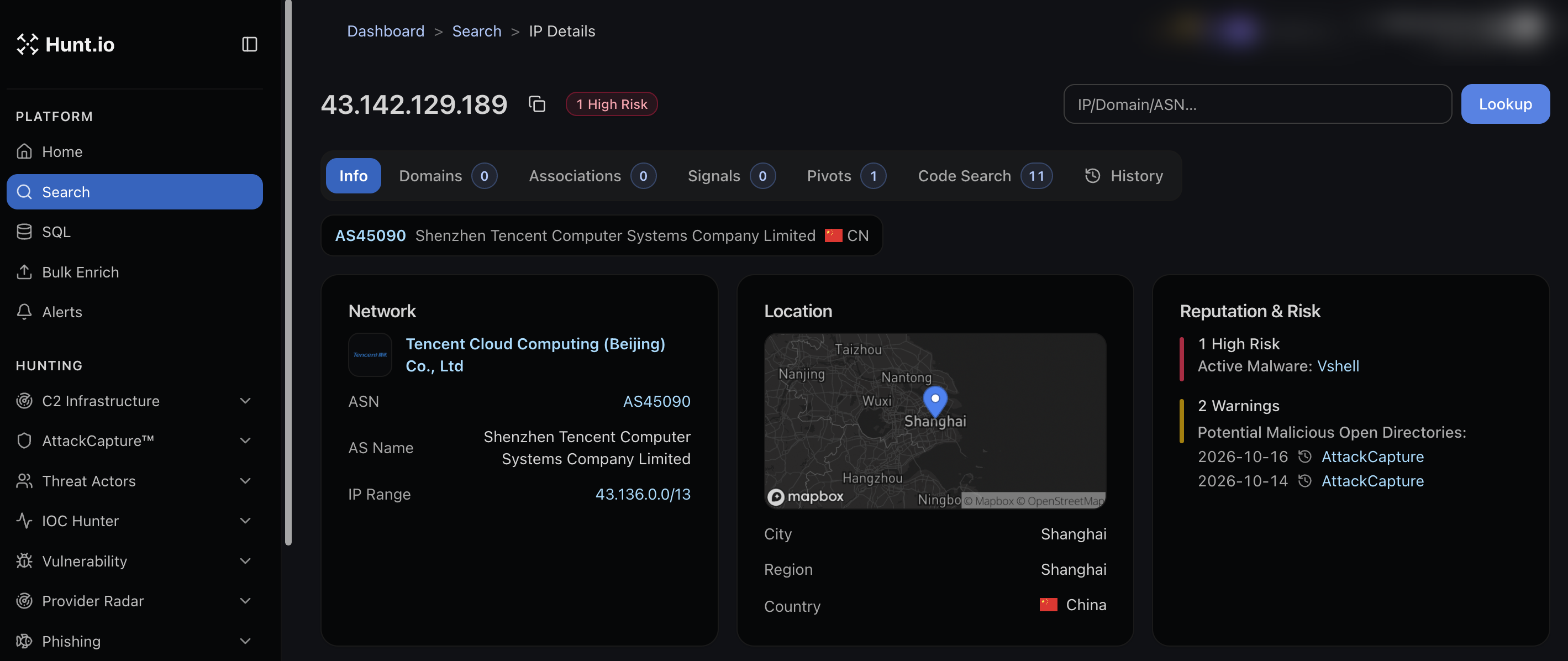
Across the top of the result you get tabs to pivot without starting a new search:
Domains resolving to the IP.
Associations that tie this host to other infrastructure.
Signals collected from the sensor network.
Pivots into related indicators.
Code Search matches found in files on the host.
History of what the IP has looked like over time.
The count on each tab tells you how much is there before you click.
Search: IP, Domain, ASN, and Certificate Lookups
Search is the fastest way into an investigation. You paste one indicator and Hunt.io routes you to the right view with the context already loaded. It accepts an IP or IPv6 address, a CIDR range, a domain, an ASN, a CVE, or a certificate key ID or fingerprint, including AKI, SKI, JARM, JA4X, and SHA-256.
If a single lookup is not specific enough, write a precise query in HuntSQL, or run many indicators at once with Bulk Enrich. When you want to be told the moment a host changes, save the lookup as a monitor in Alerts. New here? Start with Getting Started.
Run a lookup
Open Search from the Platform group in the sidebar, or use the search bar at the top of any page. Type or paste your indicator and run it. The examples link next to the bar shows valid formats if you are not sure what to enter.
You do not need to tell Hunt.io what kind of indicator it is. It detects the type and sends you to the matching view.
Reading an IP result
An IP result opens on the Info tab with three panels:
Network: the hosting organization, ASN, AS name, and IP range. For the provider's wider abuse history, open it in Provider Radar.
Location: city, region, and country, with a map.
Reputation and Risk: the risk level, any active malware seen on the host (which links into Malware), and warnings such as recent malicious open directories from AttackCapture, each dated and linked to its source.
Across the top of the result you get tabs to pivot without starting a new search:
Domains resolving to the IP.
Associations that tie this host to other infrastructure.
Signals collected from the sensor network.
Pivots into related indicators.
Code Search matches found in files on the host.
History of what the IP has looked like over time.
The count on each tab tells you how much is there before you click.
Search: IP, Domain, ASN, and Certificate Lookups
Search is the fastest way into an investigation. You paste one indicator and Hunt.io routes you to the right view with the context already loaded. It accepts an IP or IPv6 address, a CIDR range, a domain, an ASN, a CVE, or a certificate key ID or fingerprint, including AKI, SKI, JARM, JA4X, and SHA-256.
If a single lookup is not specific enough, write a precise query in HuntSQL, or run many indicators at once with Bulk Enrich. When you want to be told the moment a host changes, save the lookup as a monitor in Alerts. New here? Start with Getting Started.
Run a lookup
Open Search from the Platform group in the sidebar, or use the search bar at the top of any page. Type or paste your indicator and run it. The examples link next to the bar shows valid formats if you are not sure what to enter.
You do not need to tell Hunt.io what kind of indicator it is. It detects the type and sends you to the matching view.
Reading an IP result
An IP result opens on the Info tab with three panels:
Network: the hosting organization, ASN, AS name, and IP range. For the provider's wider abuse history, open it in Provider Radar.
Location: city, region, and country, with a map.
Reputation and Risk: the risk level, any active malware seen on the host (which links into Malware), and warnings such as recent malicious open directories from AttackCapture, each dated and linked to its source.
Across the top of the result you get tabs to pivot without starting a new search:
Domains resolving to the IP.
Associations that tie this host to other infrastructure.
Signals collected from the sensor network.
Pivots into related indicators.
Code Search matches found in files on the host.
History of what the IP has looked like over time.
The count on each tab tells you how much is there before you click.
Frequently asked questions
Frequently asked questions
Can I pivot from one indicator to related ones?
How do I see what an IP used to look like?
What can I paste into Hunt.io search?
Related
Related
Hunt adversary infrastructure in real time. Surface C2 servers, enrich IOCs,
and map attacker activity at scale with our unified threat hunting platform.

Hunt adversary infrastructure in real time. Surface C2 servers, enrich IOCs,
and map attacker activity at scale with our unified threat hunting platform.
Hunt adversary infrastructure in real time. Surface C2 servers, enrich IOCs,
and map attacker activity at scale with our unified threat hunting platform.